
Electrician Quote Software for Sole Traders: 2026 Guide
· Editorial Team

Table of Contents
- Why Electrician Quote Software Beats Spreadsheets and Phone Notes
- Electrical Estimating Software for Small Contractors: What Actually Matters
- From Site Visit to Approved Quote: A Practical Workflow
- Free Electrical Estimating Software: What You Get and What You Give Up
- Using an Electrician Quote Template (and When It Stops Working)
- Invoicing Software for Sole Traders: Getting Paid Faster
- Total Cost of Ownership and What to Check Before You Commit
- Conclusion
- Frequently Asked Questions
Last Updated: October 21, 2026
Why Electrician Quote Software Beats Spreadsheets and Phone Notes
Most sole traders start with a spreadsheet and a phone full of scribbled notes. Electrician quote software replaces that patchwork with a single record of every job, price and certificate, so nothing gets lost between site visit and invoice.
The real problem with spreadsheets isn't the maths.
This guide from DQM Construction breaks down what matters when choosing quote software as a one-person operation, from live supplier pricing to getting paid faster.
Key Takeaway The value of quoting software isn't the quote itself. It's the trail: site notes, materials, labour and certificates all attached to one job record you can invoice from and defend later.Electrical Estimating Software for Small Contractors: What Actually Matters
Electrical estimating software for small contractors lives or dies on two things: accurate material costs and accurate labour costs. Get those wrong and a professional-looking quote still loses you money.
A common mistake is choosing software by feature count. A sole trader doesn't need enterprise resource planning, you need to price a consumer unit change, a rewire or an EICR quickly, on site, and send it before the customer's attention drifts.
Live Supplier Pricing and Materials Cost Calculations
Live supplier pricing separates real estimating tools from glorified word processors: your quote reflects what you'll actually pay this week, not last year.
The catch: not every merchant publishes prices online. If your main supplier quotes by phone or gives you a trade account rate, check the software lets you override prices manually, any tool that locks you into its own price list is a liability.
Good materials costing also handles the small stuff that quietly eats margin:
- Fixings, containment, cable clips and sundries
- Waste allowance on cable runs
- Consumer unit accessories and RCBOs priced individually
Labour Rates, Job Tracking and Quote Accuracy
Labour is where most quotes leak profit: a rate set two years ago, applied to a job that runs half a day long, turns a decent job into a break-even one.
The single most useful feature is a labour rate you can adjust per job type, not one global figure.
Job tracking closes the loop: log actual hours against quoted hours and you learn which job types you consistently underprice.
Pro Tip Set a separate labour rate for testing and certification work. It's rarely a full day, it carries real responsibility, and bundling it into your standard day rate is how EICR work ends up unprofitable.From Site Visit to Approved Quote: A Practical Workflow
The workflow that wins work is short: capture on site, price while you're there, send before you leave the drive. Every extra day gives the customer time to get another price.
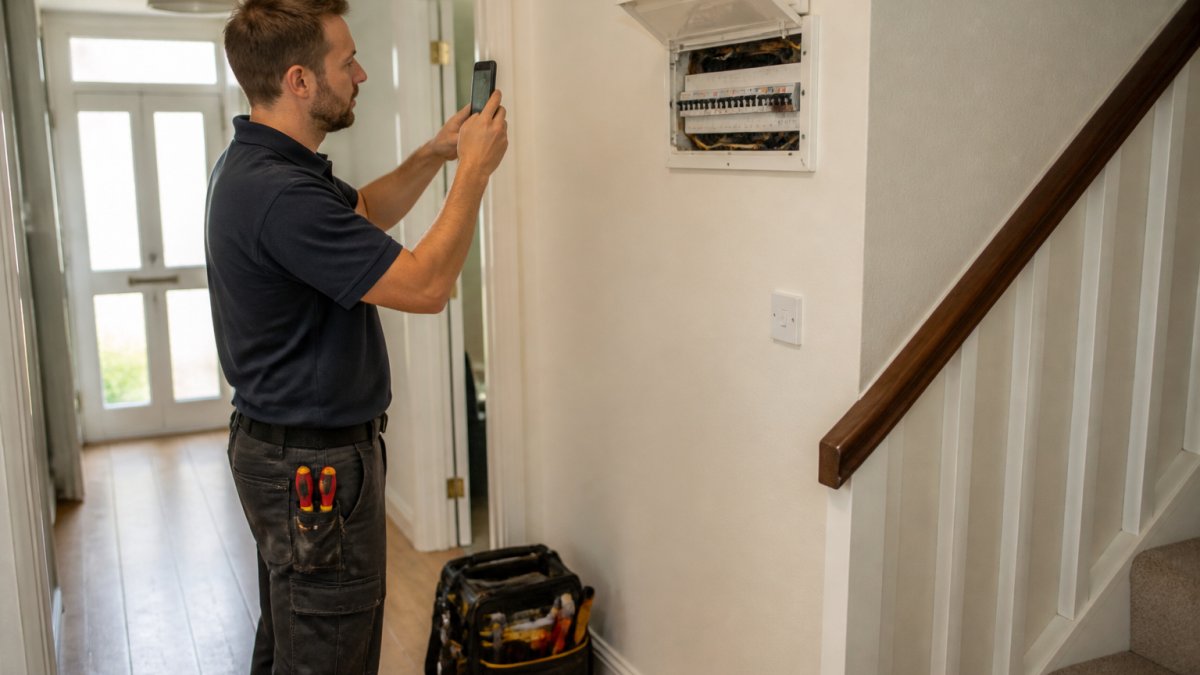
Here's the sequence we'd run:
- Photograph the job. Board, meter tails, earthing, access routes, any non-compliance. Photos attached to the job record defend you if the scope is disputed.
- Record measurements and notes by voice or text while still in the property. Voice notes transcribed into line items save the retyping that causes Monday-morning errors.
- Price materials against your supplier rates, flagging anything priced from memory so you can verify it before sending.
- Build labour from visible tasks, not a gut day rate, separating first fix, second fix, and testing and certification so the customer sees what they pay for.
- Generate the quote with your terms, validity period and VAT treatment. Set expiry deliberately, 30 days is common for domestic work, shorter if material prices are volatile.
- Send it before you leave, or that evening at the latest. A quote sent from the drive home is still warm; one sent three days later is a comparison exercise.
- Follow up after a set number of days, every time. A quote that isn't followed up is a quote that gets forgotten.
The step most sole traders skip is step seven, and the step most software handles badly is what happens after the customer says yes.
Quote Features That Decide Whether You Get Paid Properly
A quote is not just a price. The features around it determine whether you get a deposit, whether the scope is fixed, and whether you can charge for changes without an argument.
- Deposits. For rewires and consumer unit changes, a deposit request on acceptance protects you against material outlay. Check whether the software can show a deposit line and record when it is paid.
- Quote expiry dates. A visible validity period gives you a legitimate reason to reprice if the customer comes back months later.
- Optional line items. Presenting a base price plus optional extras (for example, an SPD or surge protection device, or additional sockets) lets the customer choose without you rebuilding the quote.
Quoting On-Site from Your Mobile
Quoting on-site only works if the mobile app functions without a signal. Lofts, basements, plant rooms and new-build shells are exactly where you need it and exactly where coverage dies.
Test before committing: open the app in airplane mode and build a quote. If it won't work offline and sync later, it will fail on a real job. Check device compatibility, and confirm photos and voice notes captured offline sync reliably, a quote that loses its site photos is worse than a paper note.
Handling Revisions Without Losing the Trail
Most jobs involve at least one revision, the price without the outside light, or with an EV charger added. Good software keeps the original quote, the revision and the customer's response in one thread, so you invoice the version actually approved and have the trail if payment is disputed.
Watch Out If you revise a quote by sending a fresh PDF with no version reference, you have created two documents and no record of which one was accepted. Use versioned quotes or a clear revision note.Free Electrical Estimating Software: What You Get and What You Give Up
Free electrical estimating software is genuinely useful for pricing simple jobs and testing whether software fits how you work. What it won't do is carry a growing business.
You typically get a quote template, basic line items, a PDF export and maybe an invoice; you give up live supplier pricing, job tracking, certificate storage, multiple users and proper support when something breaks at 7am.
The honest position is that free tiers are a trial, not a destination. Use one to learn what you actually need, then pay for the tool that does it.
Using an Electrician Quote Template (and When It Stops Working)
An electrician quote template is the fastest way to look professional on day one. A clean layout with your business details, itemised materials, labour, VAT status and terms beats a WhatsApp message every time.
Templates stop working at a predictable point: when your jobs stop looking the same.
That's the signal to move to software with reusable kits and saved items.
| Approach | Best for | Main limitation |
|---|---|---|
| Spreadsheet | Very low volume, simple jobs | No supplier pricing, easy to lose |
| Phone notes | Capturing details on site | Nothing is priced or tracked |
| Static template | Looking professional quickly | Manual rebuild on every job |
| Quote software | Repeatable, growing workload | Monthly cost, setup time |
Invoicing Software for Sole Traders: Getting Paid Faster
Invoicing software for sole traders matters as much as the quote itself.
Look for three things: a clear invoice number sequence, your payment terms stated plainly, and a payment method the customer can actually use.
The other lever is timing. Invoicing on completion, not at the end of the month, shortens the gap between finishing the work and being paid.
Watch Out If your quote and invoice don't match line for line, expect a query. Any discrepancy, however small, gives a customer a reason to hold payment while they check.Total Cost of Ownership and What to Check Before You Commit
Total cost of ownership for quoting software is the subscription plus your time. A cheaper tool that takes an hour to set up each job costs more than a pricier one that takes ten minutes. The real number is the annual cost after add-ons, plus the hours lost to workarounds.
Building a Like-for-Like Cost Comparison
The results for this query mix three kinds of product, priced on different bases:
- Specialist electrical estimating tools, priced per user per month, usually with a free tier or trial and paid tiers that unlock live supplier pricing and job tracking.
- Broad job-management platforms, often priced per user per month with tiers by feature, where quoting is one module among scheduling, invoicing and customer records.
- Free or low-cost template and invoice tools, which cost nothing or very little but leave labour costing, supplier pricing and job tracking to you.
To compare them honestly, put every option on the same annual footing: monthly price times twelve, plus setup fees and any add-ons you need (extra users, SMS reminders, card processing fees). A low monthly price with a card fee on every invoice can cost more over a year than a higher subscription with cheaper payment collection.
Watch for these cost traps:
- Free-plan limits. Free tiers usually cap the number of quotes, customers or invoices per month. Check the cap against your actual job volume, not a quiet month.
- Trial terms. Confirm whether a trial requires card details and whether it auto-converts to a paid plan. Diarise the cancellation date.
- Per-user pricing. If you ever take on a mate or a subcontractor, a per-user price doubles. Check whether additional users are full seats or limited logins.
Operational Fit Checks Before You Commit
Cost is only half the decision. These checks separate a tool that fits a one-person operation from one that assumes a back office:
- Data handling and UK GDPR. You're storing customer names, addresses and site details. Confirm where data is held and that the provider meets UK data protection obligations. Ask for the privacy notice and where data is stored.
- Records and retention. Certificates and test results may need to be kept for years. Check export options so you're never locked in, and confirm you can retrieve records after cancelling.
- VAT and accounting. Confirm the software handles VAT correctly, including whether quotes show VAT-inclusive or VAT-exclusive totals clearly, and exports to your accounting setup or Making Tax Digital-compatible records.
Pricing for DQM Construction is on our website, and there's a free trial and a free plan, so you can test the workflow on a real job before spending anything. Run the twelve-month calculation above against your own job volume before you decide.
Conclusion
The hard part isn't choosing software. It's admitting the spreadsheet you've trusted for years is quietly costing you jobs through slow turnaround and inaccurate pricing.
DQM Construction is built for exactly that gap: AI analysis of site photos and measurements, voice-to-quote conversion, live supplier pricing, and one workspace for quotes, programmes of work and compliance records. Talk to DQM and try it free on your next job.
Frequently Asked Questions
What is the best software for electrical pricing?
The best fit for a sole trader is one that combines electrical estimating with quoting, so labour rates, materials pricing and live supplier prices sit in the same place as the finished quote. Look for a mobile app you can use on-site, unlimited quotes, and invoicing built in. DQM Construction offers a free plan and free trial, so you can test whether it saves you time before paying anything.
Can electrician quote software create estimates from site notes and photos?
Yes. Some platforms analyse site photos, measurements and voice-recorded job details to build a draft quote, then ask only for the information still missing rather than running through a long fixed questionnaire. You should still check measurements and labour rates before sending, because a quote is only as accurate as what goes into it.
Is free electrical estimating software suitable for a sole trader?
Free tools and free plans can cover basic quote creation and templates, which suits very low volumes or occasional estimating work. The limits usually show up around live supplier pricing, team logins, compliance records and invoicing. If you quote most weeks, a paid tier that removes those limits often pays for itself in quote turnaround time and fewer pricing errors.
What features should a sole trader look for in electrical estimating software?
Prioritise mobile quoting on-site, labour rate and materials cost calculations, reusable kits and templates, professional quote presentation, and invoicing with payment collection. If you take on subcontractors or employees, check team scheduling and customer management. Also confirm how the software handles electrical certificates such as EICR, EIC and Minor Works records, and whether your data handling meets UK requirements.
Talk to DQM — try it freeFrequently asked questions
- What is the best software for electrical pricing?
- The best fit for a sole trader is one that combines electrical estimating with quoting, so labour rates, materials pricing and live supplier prices sit in the same place as the finished quote. Look for a mobile app you can use on-site, unlimited quotes, and invoicing built in. DQM Construction offers a free plan and free trial, so you can test whether it saves you time before paying anything.
- Can electrician quote software create estimates from site notes and photos?
- Yes. Some platforms analyse site photos, measurements and voice-recorded job details to build a draft quote, then ask only for the information still missing rather than running through a long fixed questionnaire. You should still check measurements and labour rates before sending, because a quote is only as accurate as what goes into it.
- Is free electrical estimating software suitable for a sole trader?
- Free tools and free plans can cover basic quote creation and templates, which suits very low volumes or occasional estimating work. The limits usually show up around live supplier pricing, team logins, compliance records and invoicing. If you quote most weeks, a paid tier that removes those limits often pays for itself in quote turnaround time and fewer pricing errors.
- What features should a sole trader look for in electrical estimating software?
- Prioritise mobile quoting on-site, labour rate and materials cost calculations, reusable kits and templates, professional quote presentation, and invoicing with payment collection. If you take on subcontractors or employees, check team scheduling and customer management. Also confirm how the software handles electrical certificates such as EICR, EIC and Minor Works records, and whether your data handling meets UK requirements.