Workforce
Give the crew the dates, work and materials they actually need — through a private link.
DQM TRADE QUOTE
From the first conversation about a job to the final quote, programme of works, customer records and paperwork — DQM brings your trade business together in one intelligent workspace.
No sign-up. No card. Try the demo first.
Build quotes around your rates, costs and margins.
Plan programmes of work and manage your calendar.
Analyse photos, take off measurements and research materials.
Keep job paperwork, records and compliance information together.
Talk through work, identify gaps and decide what happens next.
Track labour, materials, profit and payment workflows.
Public demo outputs are examples, not quotes to send. Sign up for 14 days of full Pro free — no card needed on the website.
Talk to DQM here first, then sign up on the website for 14 days of full Pro — every tool, unlimited jobs. No card needed.
On the iPhone or Android app, the 14-day free trial runs through Apple or Google, who take card details upfront and charge nothing until day 15 unless you cancel.
When the trial ends, your saved jobs, quotes and invoices stay readable. Carry on with Pro for £19.99 a month to keep working.
No watered-down version. Just a proper go on your own jobs before you decide.
Already sold? Get DQM — 14 days free, then £19.99/month
Just need a blank one? Free UK quote template (Word & PDF)
Example quote — pricing shown for illustration
Talk to DQM. Show it the job. Measure it. Price it. Send it.
Weighing up trade apps? Here's how DQM compares.
Compared with typical UK trade app pricing, October 2026.
How DQM thinks
DQM starts with what you've already told it, works out what's genuinely missing to price the job, and asks just that. No fixed questionnaire, no repeated questions, and nothing irrelevant to the job in front of you.
Illustrative example of DQM's follow-up questions
One process
Not five separate tools. What you show, say and measure carries forward into the price.
01
Upload site photos and DQM helps identify the work, materials, plant, waste, labour and other cost areas worth considering.
02
Describe the job by voice — like you'd explain it to another tradesman. DQM turns the conversation into structured quote information.
03
Type measurements in metres or centimetres, label them and save them to the job — reused in your quote maths. On supported iPhones, point the camera and set start and end points. Link measurements to quote lines so every quantity shows where it came from — with a bill of quantities and dimension sheet ready to share.
An estimate — check critical sizes with a tape.
04
Build quotes using live pricing data. Pricing helps you build the quote — you stay in control of the final rate.
05
See costs, VAT, profit and margin before the quote leaves your hands. DQM doesn't invent your margin — your figures control the calculation.
Margin too tight? You'll see a clear warning.
Make the quote sell the job
Take a photo of the area, and DQM helps create an illustrative visual of the proposed work — patios, driveways, extensions, kitchens, bathrooms, fencing and more — ready to send with the quote.
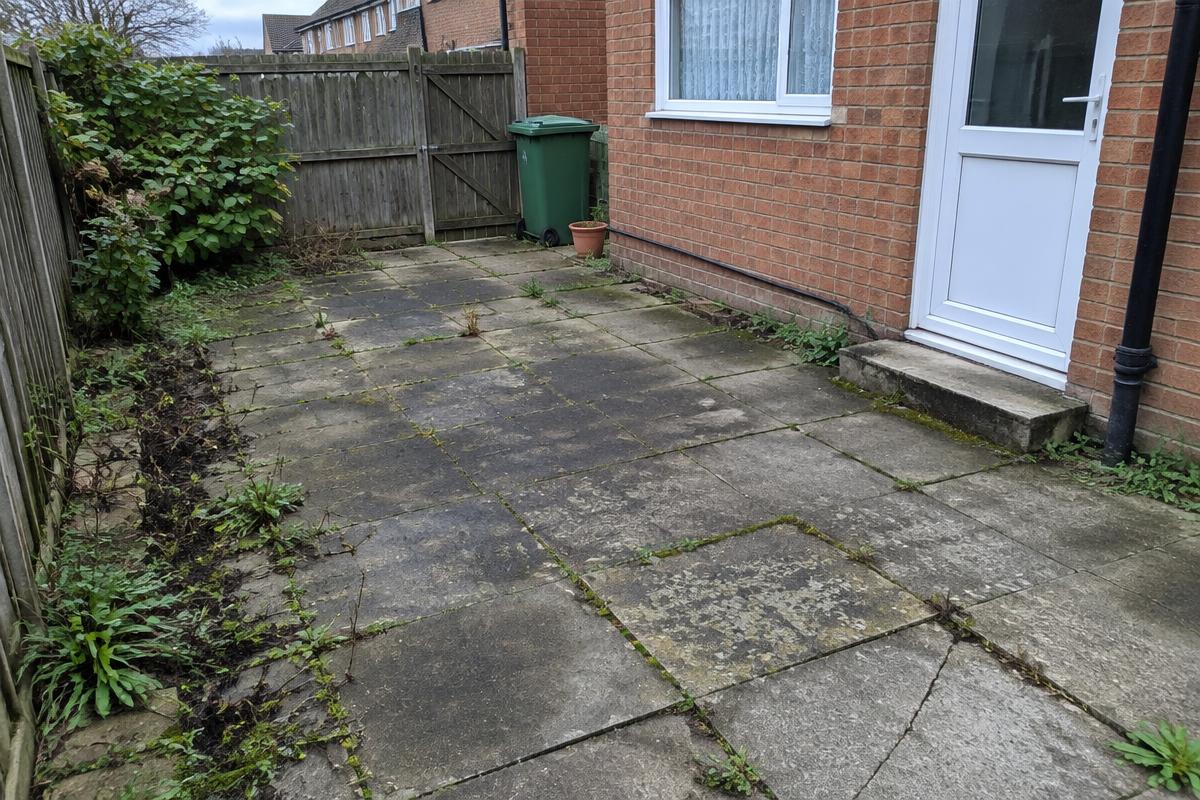 Before
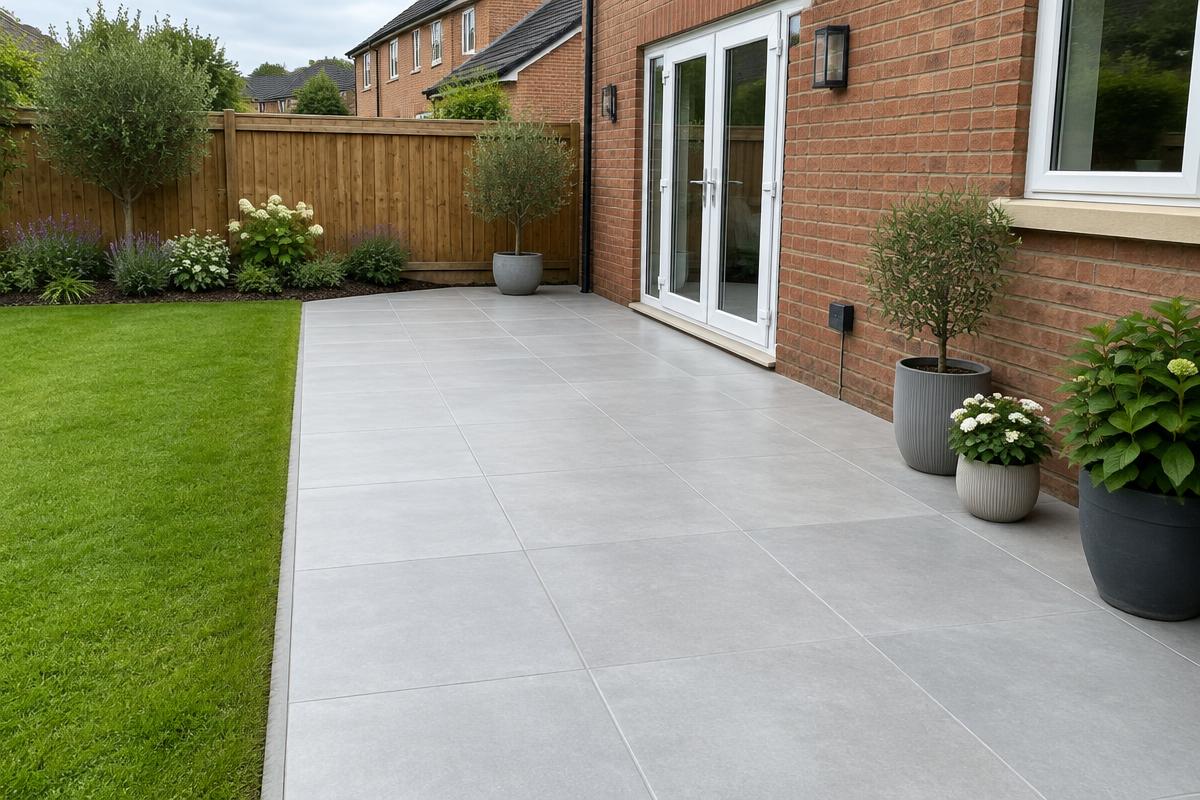 Proposed · Illustrative visual Attached to quote
Illustrative visual only. This image is intended to help visualise the proposed work and may differ from the final completed project. It is not an exact representation, construction drawing or guarantee of the finished result.
Your quote can sell the vision, not just state the price.
Products & materials
Add the products and finishes you're proposing, with images, supplier links and customer approval — sent with the quote. More than a price: you're showing them exactly what they're getting.
Proposed products · Smith patio
ExamplePorcelain paving, 600×600 light grey
Example supplier
Close-board fencing panels, 1.8m
Example supplier
Composite back door, anthracite
Example supplier
The customer's side
The customer accepts the exact quote before any deposit or stage-payment link appears. Card payments go straight to your connected account.
Quote status
Payment status — only after acceptance
From quote to job
The accepted quote becomes the job — a day-by-day programme with overlapping workstreams, teams, workers, materials, calendar, certificates, variations and job records, all carried from what you've already priced.
Give the crew the dates, work and materials they actually need — through a private link.
See jobs, programme work, quote follow-ups, payments, certificate retests and reminders together. Optional Google Calendar connection.
Keep certificates and job records — with your logo, watermark and signatures — connected to the customer and job.
The Invoice Beast
Just tell DQM what happened.
DQM builds the invoice from what you said — or snap a timesheet photo and the Invoice Beast turns it into an invoice. You check it before anything is sent.
Illustrative example — figures made up for the demo.
Get paid properly
Carried across from the quote
No quote? Speak the invoice or snap a timesheet photo — with payment links and late-payment follow-up included.
One conversation. One connected job.
Chases quotes and invoices for you
Friendly nudges until they reply or pay.
Who's behind DQM
DQM Trade Quote is made by DQM Construction Ltd in Motherwell. We've spent 11 years pricing and building real jobs, and got fed up doing quotes at the kitchen table at night. So we built the tool we wanted.
Damon McLaughlin, founder
15-minute demo
A proper call, right now: DQM learns about your business, walks you through a job in your trade and answers your questions — all within 15 minutes.
Prefer a real person? Leave your number.
Talk to DQM and see how quickly you can build it.
No sign-up. No card.
When you're ready: Pro is £19.99/month including VAT. Cancel any time. Try DQM on your own job, free