
Construction Software for Small Teams: 2026 Guide
· Editorial Team

Table of Contents
- How to Evaluate Construction Software for Small Teams
- Quick Comparison: Construction Software for Small Teams
- Construction Management Software for Small Business: What Matters
- Construction Scheduling Software: Keeping Timelines Realistic
- Construction Estimating Software: Quotes That Protect Your Margin
- Field Service Management Software: Mobile Access and Offline Reliability
- Total Cost of Ownership for Small Teams
- Conclusion
- Frequently Asked Questions
Last Updated: October 21, 2026
How to Evaluate Construction Software for Small Teams
Construction software for small teams is the category of cloud-based tools that handle the core admin of a trade business: quotes, job costing, scheduling, and site records, built for crews of two to ten rather than enterprise contractors. The right pick does not depend on the longest feature list. It depends on how quickly your lads will actually use it on site.
Below we set out the evaluation method we would use ourselves, then compare the options by what they actually cost a small team over a full year.
Use this scoring method before you book a demo:
- Quote speed: Time from site visit to a professional quote in the client's inbox. Target: same day.
- Job costing accuracy: Can you see labour, materials, and margin per job without rebuilding a spreadsheet?
- Mobile reality: Does the app work in a loft or on a roof, including with patchy signal?
- Setup burden: Hours needed before the first live job, including migrating old jobs.
- Total annual cost: Subscription plus training time plus any add-ons, in GBP.
- Exit terms: Notice period and data export, checked before you sign.
Score each from one to five. Anything averaging under three on mobile reality or quote speed is a no, however good the demo looked.
Quick Comparison: Construction Software for Small Teams
The best construction software for small teams balances quote speed, job costing, and mobile use over raw feature count. Here is how the main categories compare on the criteria that decide whether a two-to-ten-person firm gets value in year one.
| Option | Best For | Strengths | Watch Out For |
|---|---|---|---|
| DQM Construction | Trades needing fast, accurate quotes | AI photo and voice analysis, live supplier pricing, quotes in minutes | Best value once you are quoting regularly |
| Generic project management tools | Simple task lists | Cheap or free, familiar interface | No job costing or trade-specific quoting |
| Estimating-only tools | Firms that just need quotes | Focused, quick to learn | Scheduling and invoicing live elsewhere |
| Full field service suites | Teams with office admin support | Broad feature set | Setup time and cost suit larger firms |
Construction Management Software for Small Business: What Matters
Construction management software for small business succeeds or fails on adoption, not features. A tool your team avoids is worse than a spreadsheet they trust. The practical priorities are a short learning curve, one place for job paperwork, and clear visibility of what each job is actually earning.
Most guides get this wrong by ranking features. In practice, small teams tell us the same three things matter: they can see every live job at a glance, the lads can add notes and photos without ringing the office, and the numbers reconcile without manual entry.
- Project visibility: one screen showing live jobs, deadlines, and outstanding quotes
- Task assignment: jobs allocated to named people, with the site address and access notes attached
- Document management: drawings, plan viewing, and compliance records stored against the job, not in a phone camera roll
- Client communication: quotes and updates sent from a professional template rather than a WhatsApp message
- Reporting: a simple view of margin per job and budget variance across the month
If a platform cannot do the first two well on a phone, the rest rarely compensates.
Construction Scheduling Software: Keeping Timelines Realistic
Construction scheduling software is only useful if the schedule reflects what your crew can physically do in a week. Most small firms do not fail at scheduling because they lack a Gantt chart. They fail because the plan ignores travel time, weather, and the two-day gap waiting on materials.
A realistic approach uses a hierarchical task structure: the job at the top, phases beneath it, and individual tasks assigned to named people with dates. That structure lets you move one phase without rebuilding the whole programme of work.
What to look for:
- Dependency handling: moving a phase should automatically shift the tasks that rely on it, not leave them stranded on last week's dates.
- Resource allocation: the tool should flag when the same electrician or plasterer is booked on two sites on the same day, including travel time between them.
- Real-time updates: when a date moves, the crew's phones should show the new date without anyone re-typing it into a group chat.
- Client-facing output: a programme of work you can export as a PDF and share, so the client sees the same dates your team does.
- Buffer visibility: the schedule should show where the float sits, so you know which delays are recoverable and which are not.
Schedule adherence improves when the people doing the work can see and update the plan themselves. That is the difference between a schedule and a wish list. A practical pattern is a five-minute end-of-day update from each lead: mark tasks done, flag anything that slipped, and note the reason.
Recovery matters as much as planning. When a phase slips, the software should let you drag the affected tasks and see the knock-on effect immediately, rather than rebuilding the programme in a spreadsheet at 9pm. If it cannot do that on a phone, it will not be used on site.
Watch Out The most common scheduling mistake in small firms is double-booking a subcontractor because the calendar lives in one person's head. When that person is on site, the whole week unravels. A shared, phone-accessible schedule is the cheapest insurance against that.Construction Estimating Software: Quotes That Protect Your Margin
Construction estimating software protects margin by pricing labour, materials, and overhead before the quote leaves your desk, not after the job closes. The gap between a rough verbal price and a costed quote is where most small contractors lose money.
A useful estimator does three things. It pulls current supplier pricing so material costs are not last year's numbers. It applies your labour rate and margin consistently. And it produces a quote that looks professional enough that the client stops shopping on price alone.
The AI question comes up constantly, and it is fair. No tool should send a quote you have not checked. The sensible workflow is: capture the job details on site by voice and photos, let the software draft the line items and measurements, then review and adjust before sending. You stay the author of the price.
- Cost control: live supplier pricing and material research built into the quote
- Expense tracking: receipts and invoices attached to the job as you go
- Change orders: variations logged and priced before the work starts
- Invoicing: generated from the same job record, so nothing is re-typed
Field Service Management Software: Mobile Access and Offline Reliability
Field service management software is the part of the stack that lives in your pocket: job sheets, photos, snag lists, and signatures captured on site and synced back to the office.
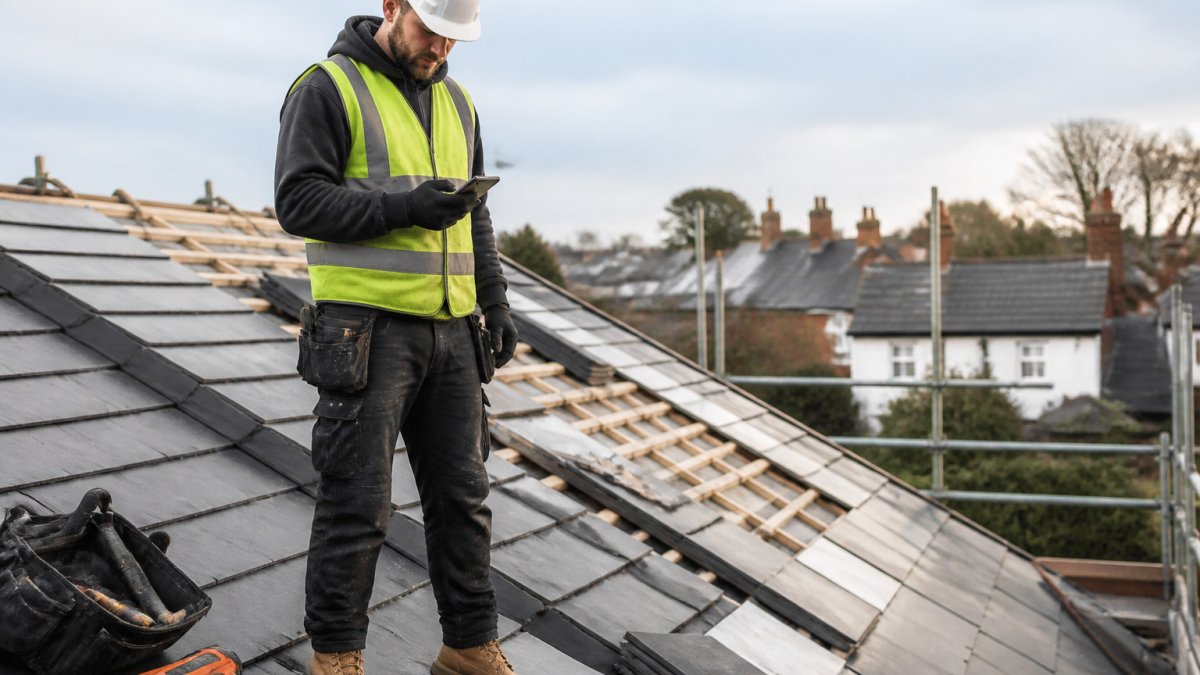
Offline reliability deserves more attention than it gets. Lofts, basements, and rural sites drop signal, and an app that loses a site survey because it could not reach the server is worse than paper. Most guides skip this because it is hard to demonstrate in a screenshot. Test it before you commit with a simple protocol:
- Put your phone in flight mode.
- Open a live job and complete a job sheet, including a photo and a signature.
- Mark a task done and add a note.
- Turn flight mode off and watch whether the changes sync without duplicates or lost entries.
- Repeat on a second device to check whether the same job can be edited by two people without conflict.
What you should be able to do offline: view the job details and site address, read drawings and method statements already downloaded, capture photos and notes, complete checklists, and collect signatures.
Field-to-office communication is the other half. When the crew can log progress, snag lists, and variations from site, the office stops chasing updates by phone and the client gets accurate information the same day.
Adoption is where lean teams lose time. Roll out one feature at a time: start with job sheets and photos for a fortnight, then add snag lists, then signatures. Keep the office workflow unchanged until the crew is comfortable, and nominate one person on site as the go-to for questions.
Pro Tip Before you sign, ask the provider two questions: what can the app do with no signal, and how do I export my data if I leave? The answers tell you more about fit for a small team than any feature list.Total Cost of Ownership for Small Teams
Total cost of ownership for a small team is the subscription plus the hidden costs: setup hours, retraining, add-ons, and the value of the admin time you get back. Comparing headline monthly fees across providers tells you very little.
Work it out in GBP over twelve months. Add the annual subscription, any per-user charges, the hours spent migrating old jobs and learning the system, and any modules you need but did not expect. Then subtract the admin hours you no longer pay for. A tool that costs more per month but saves a day of quoting each week is usually the cheaper option.
On pricing, we will not quote figures we cannot stand behind. DQM Construction publishes its pricing on our website and provides a free trial so you can test the workflow on a real job before committing. Check the current pricing page for exact GBP figures, and confirm the notice period and data export terms in writing before you sign anything.
Key Takeaway The cheapest software is the one your team uses every day. The most expensive is the one you pay for and abandon after a month.Conclusion
The hard part is not choosing software. It is changing how your firm quotes and tracks jobs when everyone is already flat out. Start with one live job, run it end to end in the tool, and judge it on quote speed and margin accuracy rather than feature count.
That is exactly the workflow DQM Construction is built for. Our workspace analyses site photos, measurements, and voice notes to draft quotes in minutes, pulls live supplier pricing into your job costing, and keeps quotes, programmes of work, and compliance records in one place your whole crew can access from site. Talk to DQM and try it free on your next job.
Frequently Asked Questions
What features should small construction teams look for in software?
Prioritise the features that match daily pain points: quoting and estimating with live supplier pricing, scheduling with drag-and-drop timelines, budget tracking with variance alerts, document and plan viewing, and mobile access for on-site updates. Look for cloud-based software with a free plan or trial so you can test the workflow before committing. A hierarchical task structure and simple reporting help you see progress without digging through spreadsheets. Avoid paying for enterprise features you will not use.
Is construction software worth it for a small business?
It depends on how much time you lose to manual admin. If you are rekeying quotes, chasing paper timesheets or rebuilding schedules in spreadsheets, the hours add up quickly. Software that centralises estimating, scheduling and invoicing reduces duplicate entry and gives you real-time updates on project costs. For a small team, the value comes from fewer quoting errors, faster invoicing and better visibility of budget variance. Start with a free trial and measure the time saved over a month.
How much does construction software cost for a small team?
Pricing varies by provider and plan, so check current rates on each supplier's website. Most charge per user per month, with tiered plans based on features like estimating, scheduling or field service management. Some offer a free trial for sole traders or very small teams. When comparing, factor in setup time, training and any migration costs. A transparent evaluation should include the total cost of ownership over 12 months, not just the headline subscription price.
Can construction software help with scheduling and job costing?
Yes. Construction scheduling software lets you build timelines, assign tasks to team members and adjust for delays. Job costing tools link expenses, labour and materials to each project so you can track budget variance as work progresses. Look for software that connects estimating to job costing, so the numbers you quoted become the baseline you measure against. Real-time updates from site reduce the lag between work done and costs recorded.
Talk to DQM — try it freeFrequently asked questions
- What features should small construction teams look for in software?
- Prioritise the features that match daily pain points: quoting and estimating with live supplier pricing, scheduling with drag-and-drop timelines, budget tracking with variance alerts, document and plan viewing, and mobile access for on-site updates. Look for cloud-based software with a free plan or trial so you can test the workflow before committing. A hierarchical task structure and simple reporting help you see progress without digging through spreadsheets. Avoid paying for enterprise features you will not use.
- Is construction software worth it for a small business?
- It depends on how much time you lose to manual admin. If you are rekeying quotes, chasing paper timesheets or rebuilding schedules in spreadsheets, the hours add up quickly. Software that centralises estimating, scheduling and invoicing reduces duplicate entry and gives you real-time updates on project costs. For a small team, the value comes from fewer quoting errors, faster invoicing and better visibility of budget variance. Start with a free trial and measure the time saved over a month.
- How much does construction software cost for a small team?
- Pricing varies by provider and plan, so check current rates on each supplier's website. Most charge per user per month, with tiered plans based on features like estimating, scheduling or field service management. Some offer a free trial for sole traders or very small teams. When comparing, factor in setup time, training and any migration costs. A transparent evaluation should include the total cost of ownership over 12 months, not just the headline subscription price.
- Can construction software help with scheduling and job costing?
- Yes. Construction scheduling software lets you build timelines, assign tasks to team members and adjust for delays. Job costing tools link expenses, labour and materials to each project so you can track budget variance as work progresses. Look for software that connects estimating to job costing, so the numbers you quoted become the baseline you measure against. Real-time updates from site reduce the lag between work done and costs recorded.