7 Best Mobile Apps for Site Measurements
· Editorial Team
Last Updated: November 2, 2026
Quick Summary
The best mobile app for site measurements depends on your task: DQM Construction is best overall for quoting because it turns photos and measurements into a quote, while AR Plan 3D suits Android room scans, MeasureSquare Mobile handles flooring layouts, and Measure Map covers land and boundaries. Use AR for quick checks, a laser meter for anything you quote, and a tape measure for the final fix.
- DQM Construction uses AI to read site photos and measurements and draft a quote.
- AR Plan 3D produces LiDAR floor plans on supported Android handsets.
- MeasureSquare Mobile records doors and windows for accurate flooring materials orders.
- Measure Map calculates distances, perimeters and areas on a map for land checks.
- Treat boundary figures from map tools as a guide, not a legal record.
Table of Contents
- Quick Comparison: Mobile Apps for Site Measurements
- How We Evaluated These Measurement Apps
- The Best Measurement Apps for Builders by Trade and Task
- DQM Construction: AI-Assisted Quoting from Site Photos and Measurements
- AR Plan 3D: LiDAR Room Scanning and Floor Plans on Android
- MeasureSquare Mobile: Floor Plans with Openings for Flooring Work
- Measure Map: Land, Boundaries and Outdoor Areas
- AR Ruler: Quick Camera Checks and Annotations
- PDF Plan Measurement and Takeoff Apps
- Matching the App to the Deliverable
- Room Measurement Apps Compared: AR, LiDAR and Camera Accuracy
- Apps to Measure and Annotate Photos for Site Records
- Land, Roof and Field Measurement with GPS and Map Tools
- Choosing a Digital Site Survey App: Data, Privacy and Deliverables
- Start Measuring on Site with DQM Construction
- Frequently Asked Questions
Quick Comparison: Mobile Apps for Site Measurements
Choosing a mobile app for site measurements depends on what you need to capture: a wall's length, a room's floor plan, a roof pitch, or a boundary line. Most tradespeople want one thing above all: to stop writing measurements on a plasterboard offcut and losing them before they reach the van.
This guide covers the strongest options by task, showing how each app fits a working day, where accuracy slips, and how to keep your site data yours.
Quick Picks:
- Best overall for quoting: DQM Construction, because it turns photos and measurements into a quote
- Best for Android room scans: AR Plan 3D, for LiDAR floor plans
- Best for flooring layouts: MeasureSquare Mobile, which records doors and windows
| App | Best For | Key Strength | Watch Out For |
|---|---|---|---|
| DQM Construction | Quoting from site data | AI reads photos and measurements | Needs a phone signal or offline sync |
| AR Plan 3D | Android room scans | LiDAR floor plans | LiDAR needs supported hardware |
| MeasureSquare Mobile | Flooring and openings | Records doors and windows | Steeper learning curve |
| Measure Map | Land and boundaries | Map-based area and perimeter | Not for indoor detail |
| AR Ruler | Quick camera checks | Simple AR measuring | Drift on long distances |
How We Evaluated These Measurement Apps
We judged each app on four practical tests: what it measures, how it handles error, whether it works offline, and what you get out at the end. A tape measure never runs out of battery. An app does, so offline mode matters more than most roundups admit.
Accuracy was assessed against the standards trades actually work to. The Royal Institution of Chartered Surveyors guidance on measured surveys sets out how professional surveys manage tolerance and error, and we used that thinking to separate tools built for rough checks from tools built for records you would stand behind.
Two things knocked apps down our list: no export (if you cannot get a plan or measurement off the phone in a usable format, it is a dead end) and unclear data handling, which we cover later.
The Best Measurement Apps for Builders by Trade and Task
The right app depends on your trade. A roofer needs pitch and area; a plumber needs pipe runs and room dimensions; an electrician needs cable routes and distances. Below are the picks that hold up on site, grouped by job, with the workflow and export details that decide whether an app earns a place on your phone.
DQM Construction: AI-Assisted Quoting from Site Photos and Measurements
DQM Construction is a workspace that takes site photos, measurements and voice notes and helps turn them into a quote.
Measuring is only half the job, and the quote is what wins work. The platform integrates live supplier pricing and asks only for missing job-specific information.
Best for: sole traders and small teams who want measurement to feed straight into a quote. Skip if: you only need a one-off distance and never quote from it.
For a broader look at quote-focused tools, see our AI tools for construction quotes buyer's guide comparison. You can also explore the estimating software that prices labour, materials and VAT before you send.
AR Plan 3D: LiDAR Room Scanning and Floor Plans on Android
AR Plan 3D uses augmented reality to measure rooms and build floor plans, and can scan with a LiDAR sensor where the phone supports it. For Android users, it is a strong starting point because it produces an exportable plan rather than a single distance.
The catch is hardware. LiDAR accuracy depends on the device, so check your phone before relying on it for anything you would quote from.
MeasureSquare Mobile: Floor Plans with Openings for Flooring Work
MeasureSquare Mobile measures homes and commercial buildings and produces floor plans that can include doors, windows and kitchens.
It is a more technical tool than the AR apps, and that shows in the learning curve. Put the time in and you get layouts detailed enough to order from, with annotation and export your estimator or supplier can read.
Measure Map: Land, Boundaries and Outdoor Areas
Measure Map calculates distances, perimeters and areas on a map, which suits land measurement and property line checks where you cannot walk a tape across the ground.
Map-based tools are only as good as the underlying mapping and the GPS fix. Tree cover, buildings and poor signal all degrade the reading, so treat boundary figures as a guide rather than a legal record.
AR Ruler: Quick Camera Checks and Annotations
AR Ruler is the app most people try first: point the camera, tap two points, get a distance. It is genuinely useful for a quick check, such as confirming a doorway width or a gap before you order, and for annotating a photo with a dimension to send to a colleague.
The limitation is drift. Over a few metres the error is small enough for a rough check; over a room length it grows. Use it for what it is good at, and verify any dimension before it goes into a quote.
PDF Plan Measurement and Takeoff Apps
A separate category of app measures from PDF plans rather than from the room itself. These tools let you scale a drawing, then measure lengths, areas and counts directly on the plan. They are not a substitute for a site check, but they let you build a takeoff from drawings you already have and export quantities into a spreadsheet or estimating workflow.
Matching the App to the Deliverable
A common pattern is to choose an app by how it feels, then discover the export does not fit the office workflow. Before committing, ask what leaves the app: a PDF plan, a CSV of quantities, an annotated photo, or a quote. If the answer is a screenshot, the app is a notebook, not a tool. Many setups pair a capture app with a quoting or estimating workspace so measurements can feed a quote.
Room Measurement Apps Compared: AR, LiDAR and Camera Accuracy
AR, LiDAR and camera-based measurement differ mainly in how they sense distance, and that decides where each one is safe to trust.
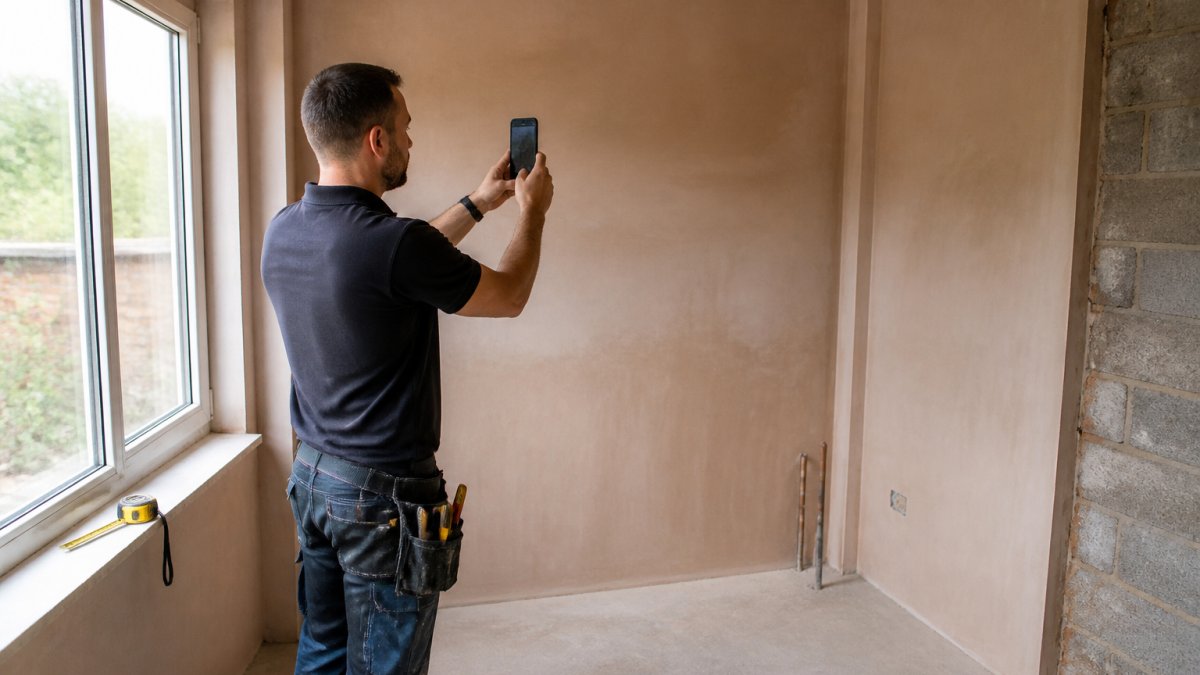
How the three methods actually behave on site
Camera-only AR apps track visual features and estimate scale from the phone's motion.
LiDAR-equipped phones fire light pulses and time the return, giving a more stable depth reading and coping better with blank surfaces and low light.
GPS and map tools are a different case again. They are for outdoor areas and boundaries, not room detail, and their accuracy varies with signal, tree cover and building density.
Calibration and environmental factors that move the number
Accuracy often slips for reasons unrelated to the app: reflective surfaces such as mirrors and glazing, low light, a cluttered room, or a phone case that interferes with the sensor. Calibration matters too. Some apps include a calibration step against a known length; skipping it, or calibrating once and never again, is a quiet source of error.
A practical accuracy hierarchy for quoting
A simple rule we give trades: use AR for a quick check, a laser distance meter for anything you will quote, and a tape measure for the final fix. Measurement error compounds, and a few centimetres on a flooring order becomes a wasted trip. Where a phone app earns its place is speed and record-keeping: capture the room, annotate the photo, and flag which dimensions are verified and which are estimates.
How accurate is a phone measuring app?
A phone measuring app is accurate enough for rough checks and early estimates, but not for final measurements without verification. Camera and AR apps drift over distance, so confirm anything critical with a laser meter or tape. LiDAR improves stability on supported devices but still warrants a spot check. The honest position: a phone app is a capture and record tool; the tape and laser remain the reference.
Apps to Measure and Annotate Photos for Site Records
An app to measure and annotate photos lets you mark up a picture of a wall, roof or defect with dimensions and notes, then send it as a record.
Watch out: annotating a photo is not the same as measuring the real thing. Label estimates as estimates, or a colleague will treat a rough overlay as a hard dimension.
Land, Roof and Field Measurement with GPS and Map Tools
GPS and map tools handle the outdoor jobs: boundaries, acreage, roof footprints and field areas. Measure Map calculates distances, perimeters and areas on a map, which suits land measurement and property line checks where you cannot walk a tape across the ground.
For roof measurement, map-based tools can give a footprint area, but pitch still needs confirming on site. GPS accuracy also varies with signal and tree cover, so treat boundary figures as a guide.
Choosing a Digital Site Survey App: Data, Privacy and Deliverables
A digital site survey app is only as good as what it hands back and how it guards what you put in.
Under UK GDPR and the Data Protection Act 2018, site photos and plans that identify a property or person count as personal data, so you need a lawful basis and a clear retention policy.
For the deeper workflow on keeping records intact, read our guide on how to digitise site records without losing data.
Start Measuring on Site with DQM Construction
The measurement app is the easy part. The hard part is turning what you capture into a quote that protects your margin and a record you can stand behind.
Capture a photo, add your measurements, and speak the job details. The workspace helps draft the quote with live supplier pricing.
See the full process from first look to final payment, or check the single plan and what it includes.
Frequently Asked Questions
What is the best app for measuring a room on site?
It depends on what you need the number for. AR Plan 3D suits Android users who want room scans and floor plans, while MeasureSquare Mobile records layouts with doors, windows and kitchens for flooring work. If the measurement feeds a quote rather than a drawing, DQM Construction analyses site photos and measurements, along with voice-recorded job details, to help generate a quote. Check device support and whether LiDAR is required before committing.
Can a phone measure accurately enough for building work?
Camera and AR measurements are good enough for preliminary layouts, estimates and ordering checks, but treat them as a starting point rather than a surveyed figure. Verify critical dimensions with a tape measure or Bluetooth laser distance meter, and cross-check anything that decides a quote. Professional-use caveats matter: for structural, boundary or compliance decisions, use surveyed measurements and keep a record of how each figure was taken.
Which measurement apps let you save notes and photos?
An app to measure and annotate photos is the practical choice when you need evidence alongside numbers. DQM Construction stores site photos, measurements and voice-recorded job details in one workspace, so the quote, programme of work and compliance records stay together. Before choosing any tool, confirm where files are stored, who owns them and whether you can export them, because losing site photos after a job is a real risk.
How should tradespeople verify measurements taken with an app?
Take each critical dimension twice, once with the app and once with a tape or laser meter, and note any difference. Calibrate AR tools on a known length before relying on them, keep the phone steady and well lit, and avoid scanning in poor light or at awkward angles. For a digital site survey app, export the plan and check it against the physical space before sending anything to a client.
If your measurements live on scraps of paper and your quotes take all evening, it is time to change the workflow. DQM Construction turns site photos, measurements and voice notes into priced quotes, tracks your margin, and keeps every job record in one workspace. Talk to DQM and try it free to see how quickly a site visit becomes a sent quote.
Talk to DQM — try it free Add dqmconstruction.co.uk as a preferred source on Google →
Frequently asked questions
- What is the best app for measuring a room on site?
- It depends on what you need the number for. AR Plan 3D suits Android users who want room scans and floor plans, while MeasureSquare Mobile records layouts with doors, windows and kitchens for flooring work. If the measurement feeds a quote rather than a drawing, DQM Construction analyses site photos and measurements, along with voice-recorded job details, to help generate a quote. Check device support and whether LiDAR is required before committing.
- Can a phone measure accurately enough for building work?
- Camera and AR measurements are good enough for preliminary layouts, estimates and ordering checks, but treat them as a starting point rather than a surveyed figure. Verify critical dimensions with a tape measure or Bluetooth laser distance meter, and cross-check anything that decides a quote. Professional-use caveats matter: for structural, boundary or compliance decisions, use surveyed measurements and keep a record of how each figure was taken.
- Which measurement apps let you save notes and photos?
- An app to measure and annotate photos is the practical choice when you need evidence alongside numbers. DQM Construction stores site photos, measurements and voice-recorded job details in one workspace, so the quote, programme of work and compliance records stay together. Before choosing any tool, confirm where files are stored, who owns them and whether you can export them, because losing site photos after a job is a real risk.
- How should tradespeople verify measurements taken with an app?
- Take each critical dimension twice, once with the app and once with a tape or laser meter, and note any difference. Calibrate AR tools on a known length before relying on them, keep the phone steady and well lit, and avoid scanning in poor light or at awkward angles. For a digital site survey app, export the plan and check it against the physical space before sending anything to a client.